
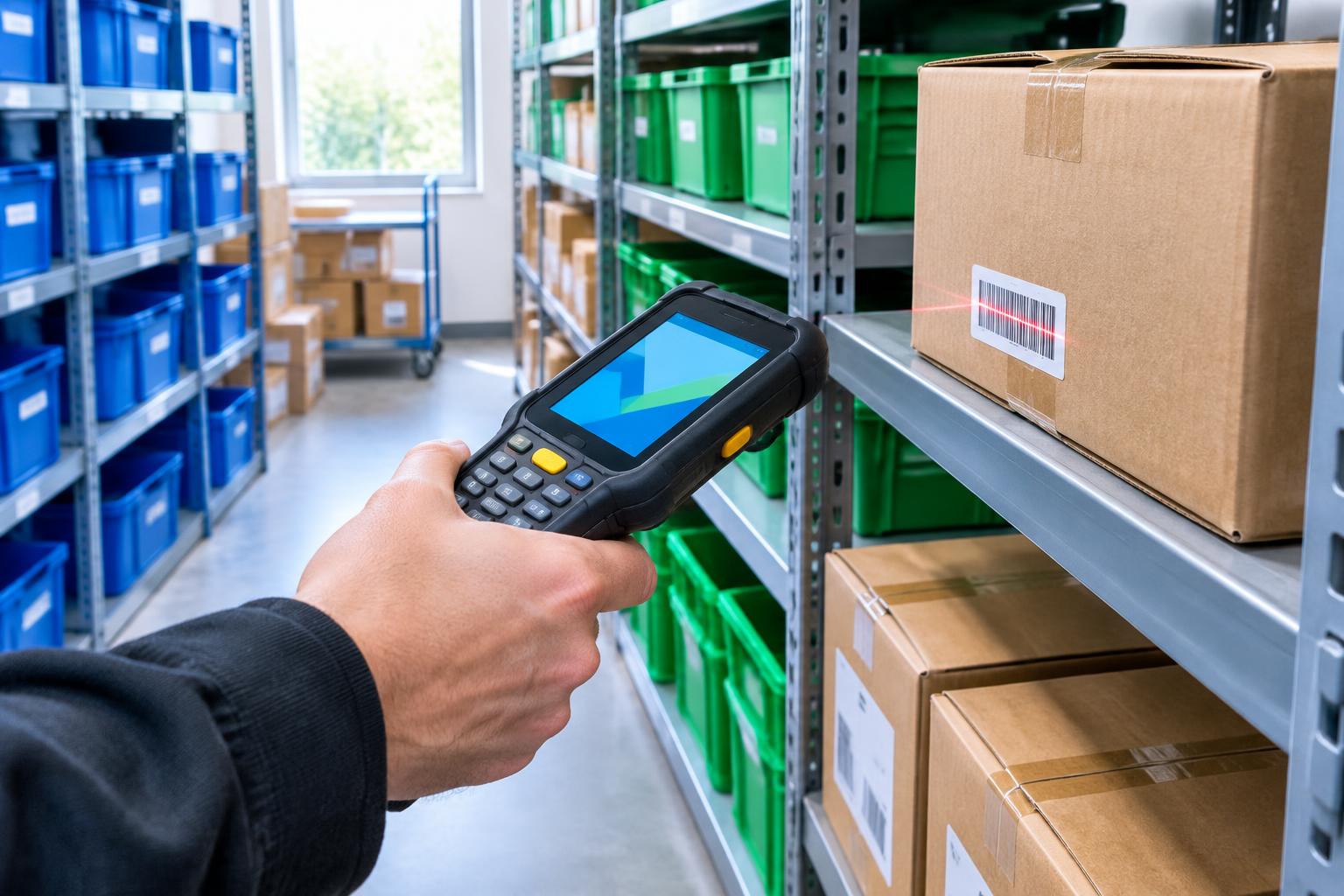
Inter-store transfers on PDAs, without internet, with document matching and ERP sync
A PDA app with a barcode scanner: stores receive goods even where there is no internet, documents are matched on receipt and everything syncs with the ERP as soon as a connection is found.
Industry
E-shop with physical stores
Platform
Εφαρμογή PDA
0 signal
and the app still works
Document
matched on receipt, not after the fact
ERP
correct stock in stores and on the e-shop
The client
An e-shop with a network of physical stores. Goods move daily from store to store, so each location has what it needs for its own sales and for e-shop orders.
The need
Many receiving points have no internet: store stockrooms, basements, loading bays. An online app simply does not load there, so receipts were done on paper and entered into the ERP later, with delays and errors.
Checking what was sent against what was received was done by eye, on the paper document. Until the ERP was updated, it still showed the goods at the store that sent them, which meant wrong availability on the e-shop and sales that could not be fulfilled.
Inter-store transfers on PDAs, without internet, with document matching and ERP sync
The solution
We built an app for PDAs with a built-in barcode scanner that works fully without internet.
Everything on the device
Items, barcodes, stores and the transfer documents each location is expecting are stored on the PDA. Staff scan, count and confirm without needing a signal.
Sending from the store
The sending store scans everything that leaves, and the transfer is created with the right document.
Receiving with document matching
At the receiving store, staff open the document and scan the items. The app matches them to the document instantly and shows what is missing, what arrived extra or what arrived in the wrong quantity.
Sync as soon as there is a connection
When the PDA finds Wi-Fi or a network, movements upload to the ERP automatically and new data comes down. If something changed in the meantime, the system flags it instead of passing it through silently. Stock at every store, and therefore on the e-shop, stays correct.
Features
01
Fully offline
No dependence on signal at the receiving point.
02
Barcode scanning
Built-in PDA scanner for fast, accurate counts.
03
Sending transfers
Scan everything that leaves the store.
04
Document matching
Receipts checked against the document, shortages and extras shown at once.
05
Automatic sync
Movements go to the ERP as soon as there is a connection.
06
Conflict checks
An alert when data changed in the meantime.
07
Movement history
Who scanned what, when and at which store.
08
Multiple stores
Each PDA knows which location it is at.
How it works
1
Data download
The PDA downloads items and expected transfers while connected.
2
Sending
The sending store scans everything that leaves.
3
Receiving
The receiving store opens the document, without internet.
4
Scan & match
Every item is checked against the document.
5
Confirmation
Differences are flagged and recorded.
6
Sync
Once connected, the movement goes to the ERP.
7
Correct stock
Stores and e-shop see real availability.
User roles
Store staff
sending and receiving from the PDA
Store manager
reviewing differences and history
Head office
a view of all stores through the ERP
Integrations
- ERP
- PDA barcode scanners
What we delivered
- PDA app
- Offline mode with local database
- Document matching on receipt
- ERP sync mechanism
- Conflict checks
- Staff training
How we worked
Καταγραφή της ροής των ενδοδιακινήσεων στα καταστήματα
Πρωτότυπο και δοκιμή σε ένα σημείο
Σύνδεση με το ERP και δοκιμές συγχρονισμού
Επέκταση σε όλα τα καταστήματα
Υποστήριξη
Next steps
Stocktakes and e-shop order picking with the same PDA.

Next app
Ready-mix concrete company — From quote to invoice: one app for ready-mix concrete, trucks and drivers
Contact
Let's talk about your next step.
Tell us where you are today. We'll get back to you soon with a first proposal.
210 9951416 · (718) 784-5255